Wake up to conversation.
An alarm clock that wakes you with your podcast instead of a beep. Press Listen on and it keeps playing, so the room doesn't go quiet. Once you're up, it's a proper podcast player.
Free on Google Play.
For podcastersYour show could be someone's alarm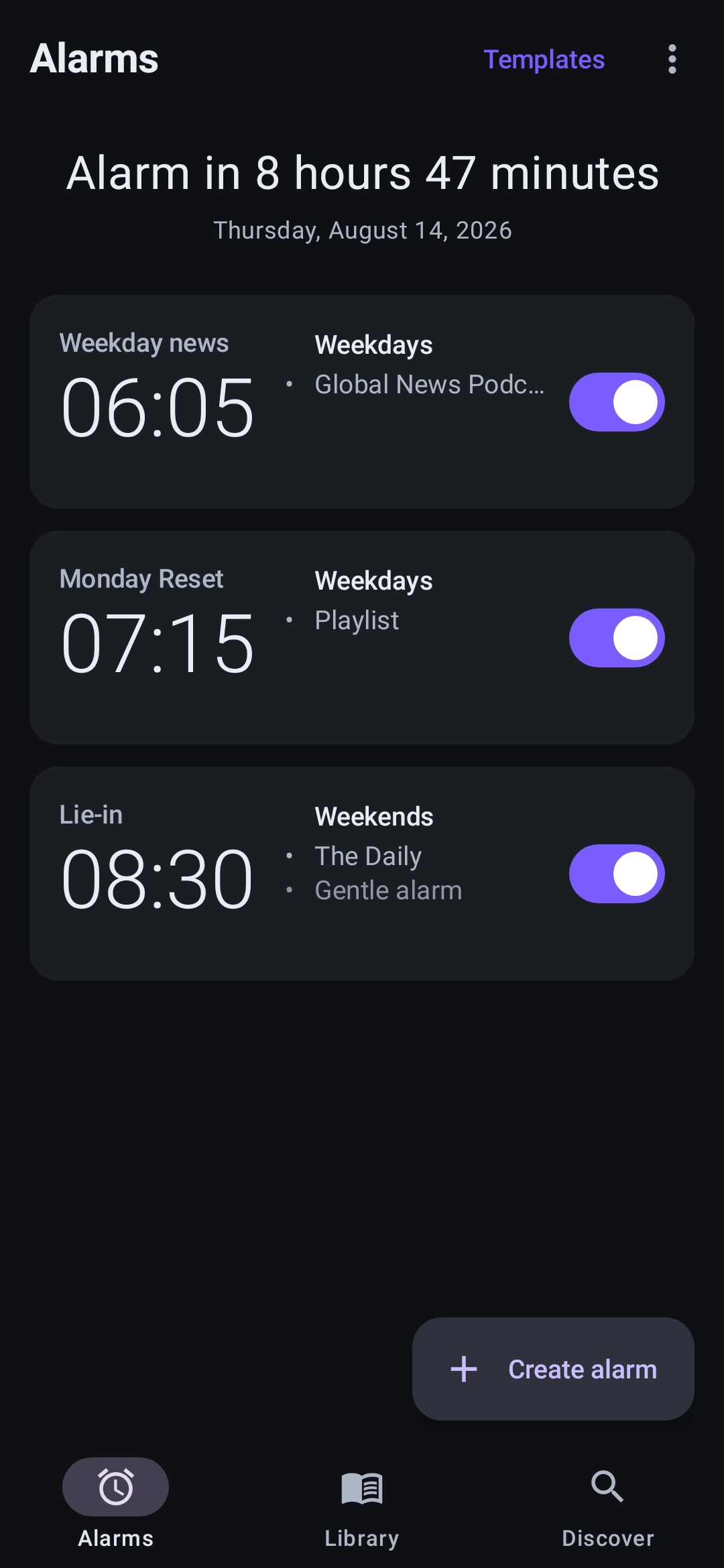
Can you trust a podcast to wake you up?
A podcast lives on somebody else's server, and phones spend the night switching things off to save battery. Three things make it safe to point tomorrow morning at one:
- The episode is on your phone before the alarm.
- It sets itself again after a restart.
- It has four ways to ring, ending in a file that cannot go missing.
How it works, from bedtime to breakfast
22:40
Find your show and set the alarm
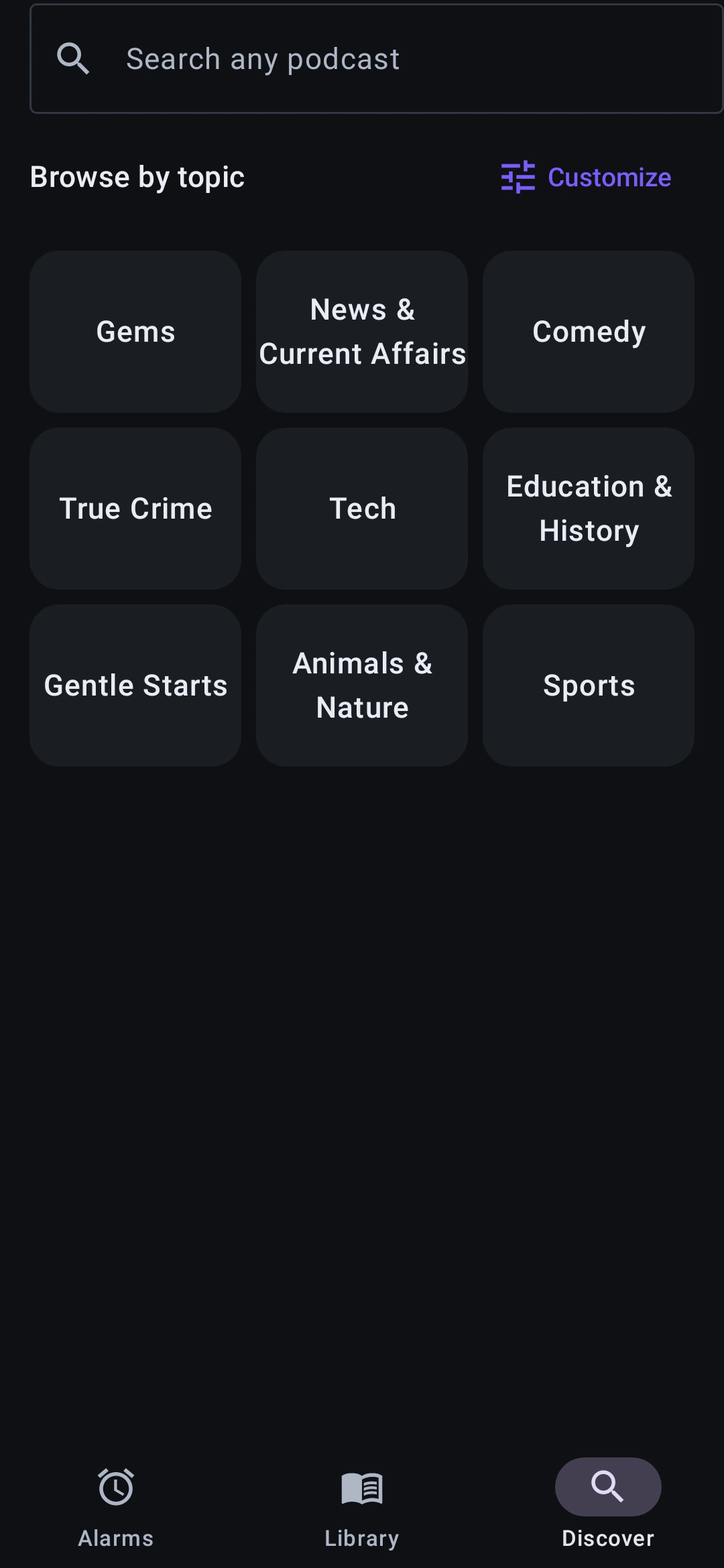
Browse 28 topic folders of hand-picked shows built into the app, or search the full podcast directory. Play an episode to try it, then subscribe. Everything you follow lands in your Library.
Pick the time and days, then point the alarm at a show or at a playlist you built. Set each show to play its newest episode or carry on where you left off. Volume, snooze and Gentle Wake belong to the alarm itself.
03:12
Your phone restarts for an update
A restart wipes every app's alarms. Alarmcast sets its own again in the first minutes afterwards.
05:40
The episode downloads
In the half hour before the alarm, the episode comes down to your phone's storage, so nothing has to stream when it fires.
06:05
It rings with your podcast
The episode plays from your phone's storage the instant the alarm fires. With Gentle Wake on, birdsong fades up in the minutes before.
06:06
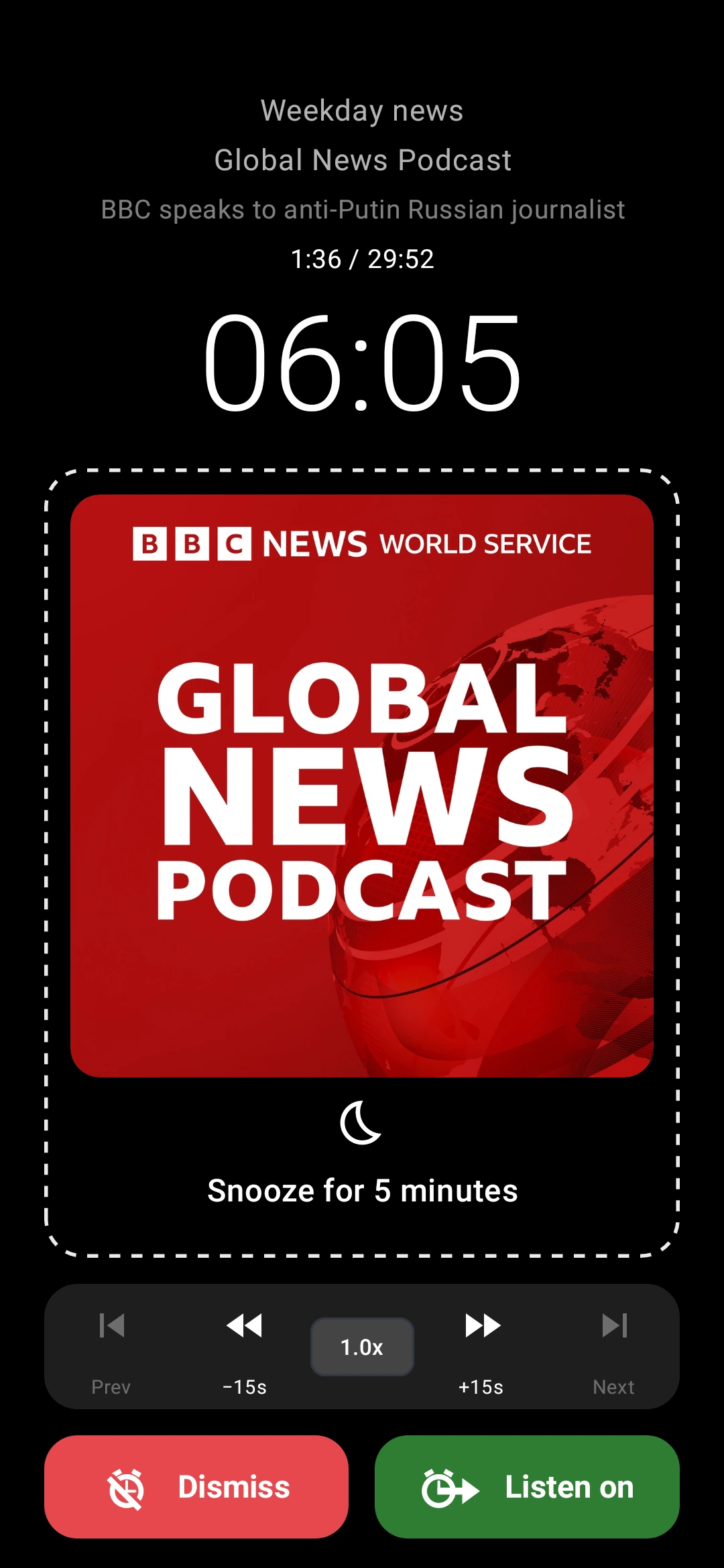
You press Listen on, and the room doesn't go quiet
A clock radio worked because somebody was already talking when you opened your eyes. An alarm's job is to stop, and the moment it stops the house is quieter than before.
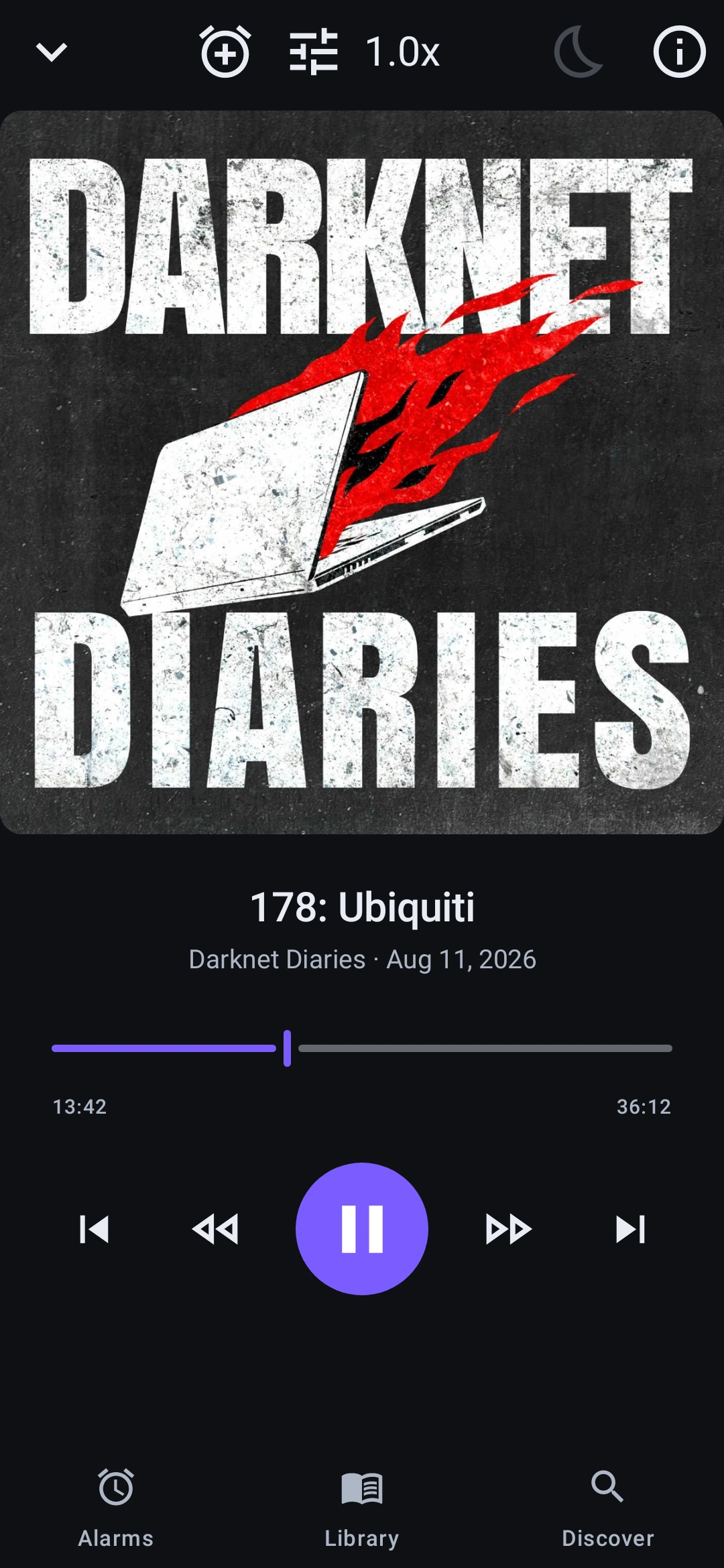
Press Listen on and the alarm ends properly, then the player picks the same episode up at the same second, at the volume the alarm was already at, with the rest of the show queued behind it. No restarting, and no hunting for your place.
07:15
Over breakfast, it's a podcast player
Once you're up, the player rolls into the next episode when one ends. On a show set to carry on, tomorrow's alarm starts where you stopped (Premium).
The alarm fires every time
An alarm that streams when it fires is a bet on your morning network. Alarmcast has the episode on your phone before then, and everything else in the app is there to wake you whatever Android switched off while you slept.
It survives restarts, fires while the phone sleeps, gets past battery optimization and rings on the lock screen.
A ringtone is a file that ships inside the app. An episode is a link that might not be there.
That difference is most of the work. A ringtone can't go offline, get pulled, arrive half-downloaded or turn out to be 200 MB.
9.4%
Directories go stale
Nearly one episode in eleven, of 129,997 checked, has a different download link in the podcast directory than in the publisher's own feed. So Alarmcast always asks the publisher.
Hotel Wi-Fi
Not everything that downloads is audio
Hotel Wi-Fi hands back its login page as a valid-looking file. Alarmcast checks the bytes are audio before trusting them.
Every ½ sec
"Playing" isn't the same as audible
Media players report success before any sound comes out. Alarmcast checks every half second that the audio is moving, and moves on if it stalls.
Phone makers
Built for phones that don't play along
Samsung
Withholds the restart signal alarms depend on. Alarmcast sets itself again without it, before you unlock the phone.
Xiaomi, Redmi, POCO
Autostart is off for new apps, so after a restart nothing comes back until you allow it.
Oppo, OnePlus, realme
Startup manager stops apps launching themselves until you allow it.
Huawei, Honor
App launch manages apps for you, and can shut down one it thinks is idle.
vivo, iQOO
Background power use is capped unless you allow an app more.
Every other Android phone
Battery optimization can still hold an app back. Alarmcast asks to be let off it.
For each maker, Alarmcast tells you which setting to look for on your phone.
And when it all goes wrong anyway
- 1Downloaded episode
- 2Live stream
- 3Your chime
- 4Built-in tone
Each one takes over automatically. The last is a file inside the app, so it cannot fail to exist.
An alarm clock first, a podcast player second
Every setting here exists to make one minute of the day work. What is left over is a good podcast app for the other 23 hours.
Your alarms, each pointed at its own show or playlist, with its own days and wake style.
A running order for the morning
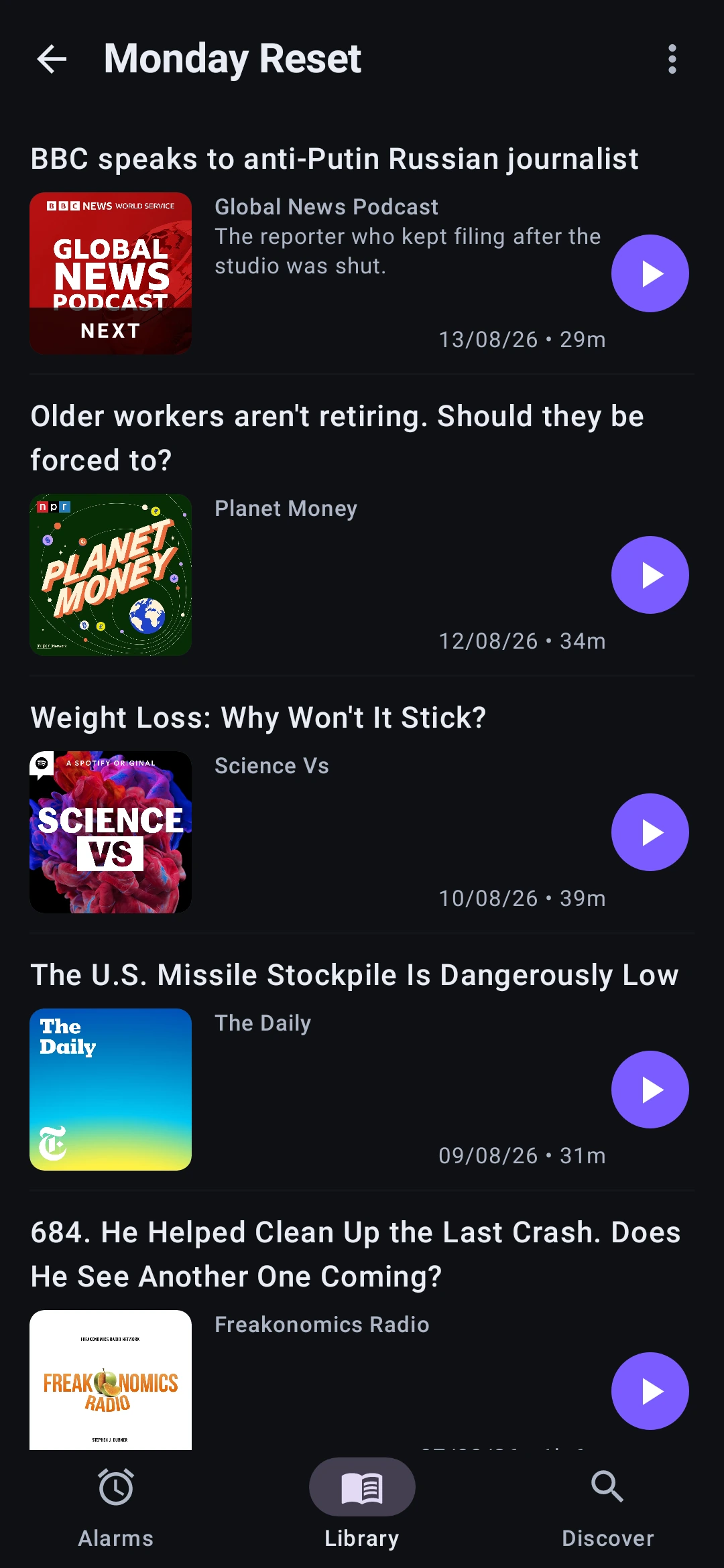
Build a playlist from any show you follow: a 5-minute news brief, then the long one you actually lie in bed for. Point an alarm at it and it works through the list across mornings, picking up where it got to. Up to 20 episodes, drag to reorder. Building playlists is a Premium feature, and one you have already built keeps waking you either way.
A Library built for alarms
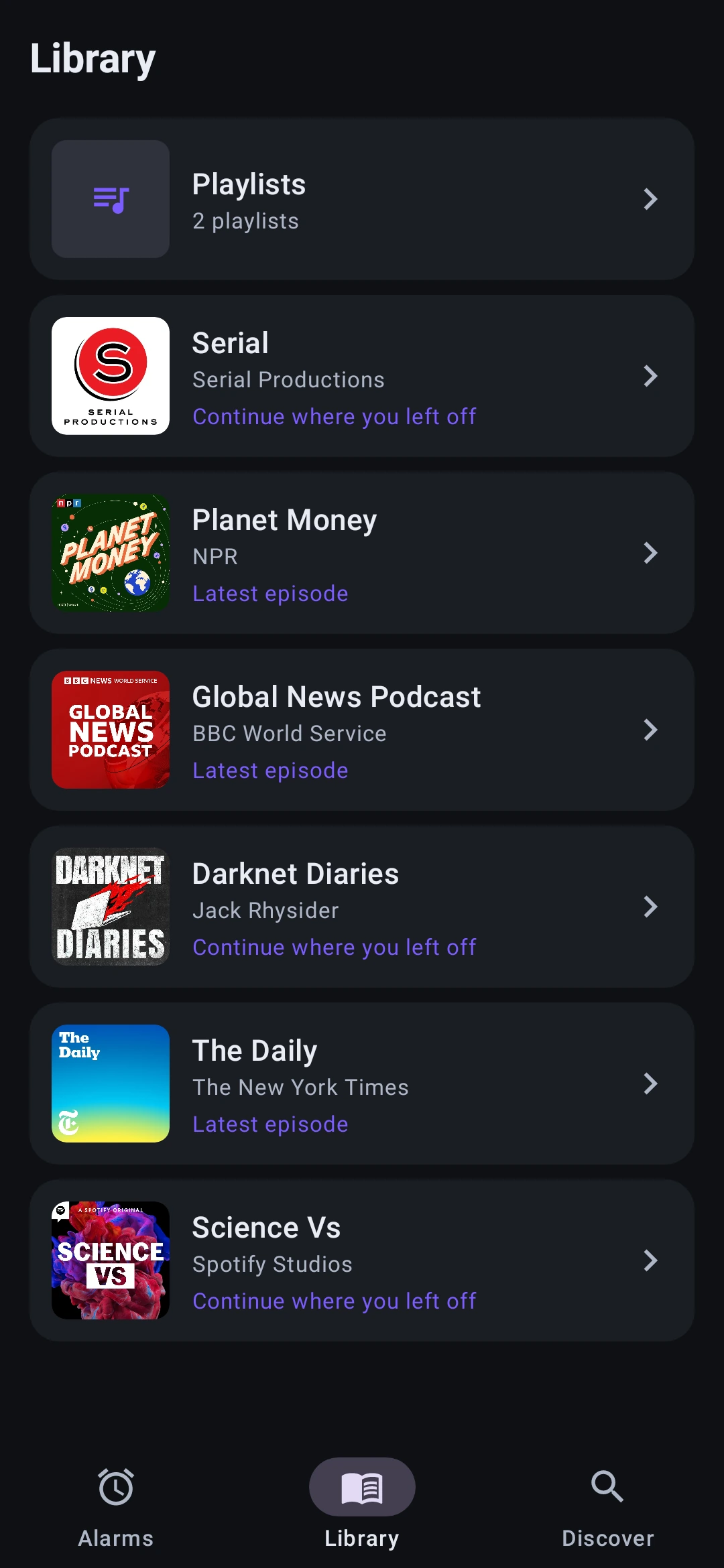
Subscribe to the shows you love and point any alarm at one. Open a show and it marks what you've played, what's playing now, and the exact episode your alarm will start from, so you know what you'll wake up to.
Newest, or carry on
Each show is set one of two ways: always wake to the newest episode, or continue a series where you left off. On newest it skips episodes you have already heard, so a lie-in on Monday does not cost you Tuesday. Set once per show, on every tier.
Then it gets out of alarm mode
Once you're up, the library player takes over: scrubber, playback speed, sleep timer, episode notes with the transcript when the show publishes one, and one-tap play on every episode in your Library.
Start from a template
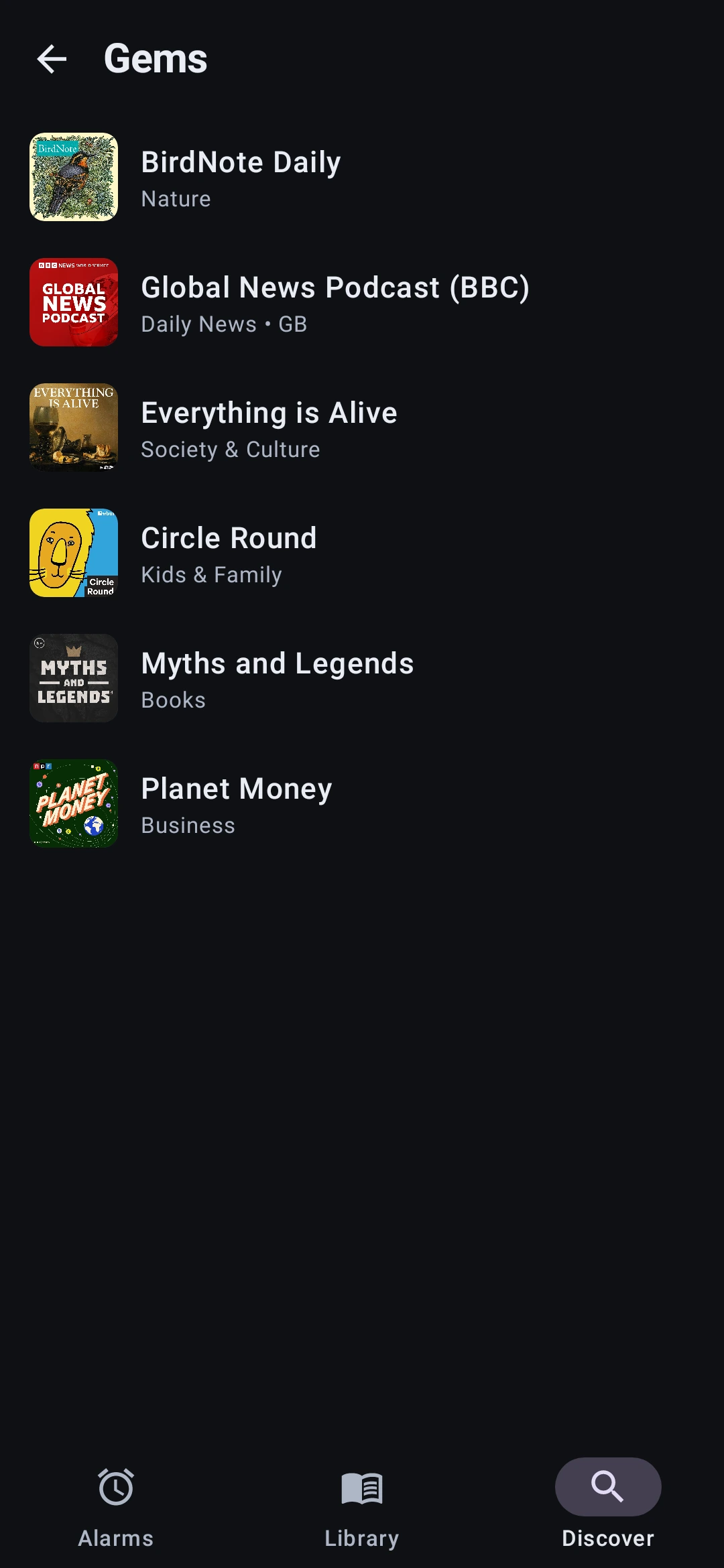
Six ready-made ways in: Start with the News, Gems, Gentle Start, Learn Something, Continue Where You Left Off, and Laugh Yourself Awake. Open one and it offers hand-picked shows. Choose a show and the alarm editor opens with it already set, so all you add is the time.

Gentle Wake eases you in
Not a morning person? Birdsong fades up from silence in the minutes before your alarm, so the podcast lands on ears that are already half awake. Five ambient beds to pick from, layered on an alarm that still fires exactly on time.
3,961 shows, already sorted
A search box only helps once you already know the name. Alarmcast ships with a catalogue of hand-picked shows across 28 topic folders, built into the app, so browsing works before you've typed anything. Search reaches everything else.
Open any show and its About page links to the show's website and any support links in its feed, shows when new episodes come out, and lists the shows it recommends. A show you haven't followed yet can play its trailer first, when it has one. Our picks leave out any show that asks not to be listed.
Some folders are about a subject. Some are about a mood.
That matters more than usual at 6 am. Gentle Starts exists because not everyone wants breaking news before their feet touch the floor.
Gentle Starts, Gems, News & Current Affairs, Comedy, True Crime, Tech, Education & History, Animals & Nature, Sports, Cult Classics, Complete Series, Listen with Kids and 16 more, and you pick which ones you see.
Free to start, with more when you want it
Every plan wakes you exactly the same way, and reliability is never behind a paywall. Paying removes ads and adds control over what plays and where it starts.
| StarterFree, with ads | Ad-free$4.99 once | Premium$11.99/yr (about $1/mo) or $1.99/mo | |
|---|---|---|---|
| Alarms | 2 | Unlimited | Unlimited |
| Banner ads on Alarms, Library, Discover and the player | Yes, never on the ringing alarm | None | None |
| Download ahead, with the chime fallback | |||
| Newest or carry on, per show, skipping what you've heard | |||
| Gentle Wake and volume fade-in | |||
| Library player: speed, sleep timer, scrubber, skip back 15s | |||
| Build playlists that mix shows | |||
| Resume mid-episode, even days later | |||
| Skip forward and jump between episodes, while the alarm plays and in the player | |||
| How you pay | Nothing | Once. No account, no renewal, restores on a new phone | Subscription, 21-day free trial |
Not a subscription person? A one-time $29.99 Lifetime purchase unlocks everything in Premium, for good. A playlist you've already built keeps waking you whether or not the subscription is still running.
Why there's a Premium plan
The alarm came first: the scheduling, the download ahead of time, the fallback chain. That part is done, it's free, and it works identically on every plan. We'd rather someone use Alarmcast for years without paying us than ship an alarm that quietly doesn't ring.
Premium is the listening layer built on top: picking a long episode back up days later, skipping around or jumping to another episode while the alarm is still ringing, and building playlists that mix shows. Live playback controls on an alarm that must never fail were the hardest thing in the app to build, and that is what the subscription pays for.
The Alarmcast team
Wake up to something worth hearing.
Alarmcast is free on Google Play. Set an alarm tonight, point it at a show you like, and wake up to someone talking tomorrow.
We love podcasts. Waking up to conversation makes a better start to the day, and gives shows a new way to find listeners. Make a podcast? Put your show in Featured
Or say hello at hello@alarmcast.app
 Alarmcast™
Google Play and the Google Play logo are trademarks of Google LLC.