Your show, as someone's alarm.
Alarmcast is an Android alarm clock that wakes people with a podcast. We'd like your show in Featured, at the top of its Discover screen.
- You do
- A 10 to 20 second ad read in your own words, near the start or middle of an episode.
- Your show gets
- Three months in Featured, from the app update after your read airs. Another read adds three more.
- Your listeners get
- A free year of Premium with your show's own code.
Reply to our email, or write to hello@alarmcast.app.
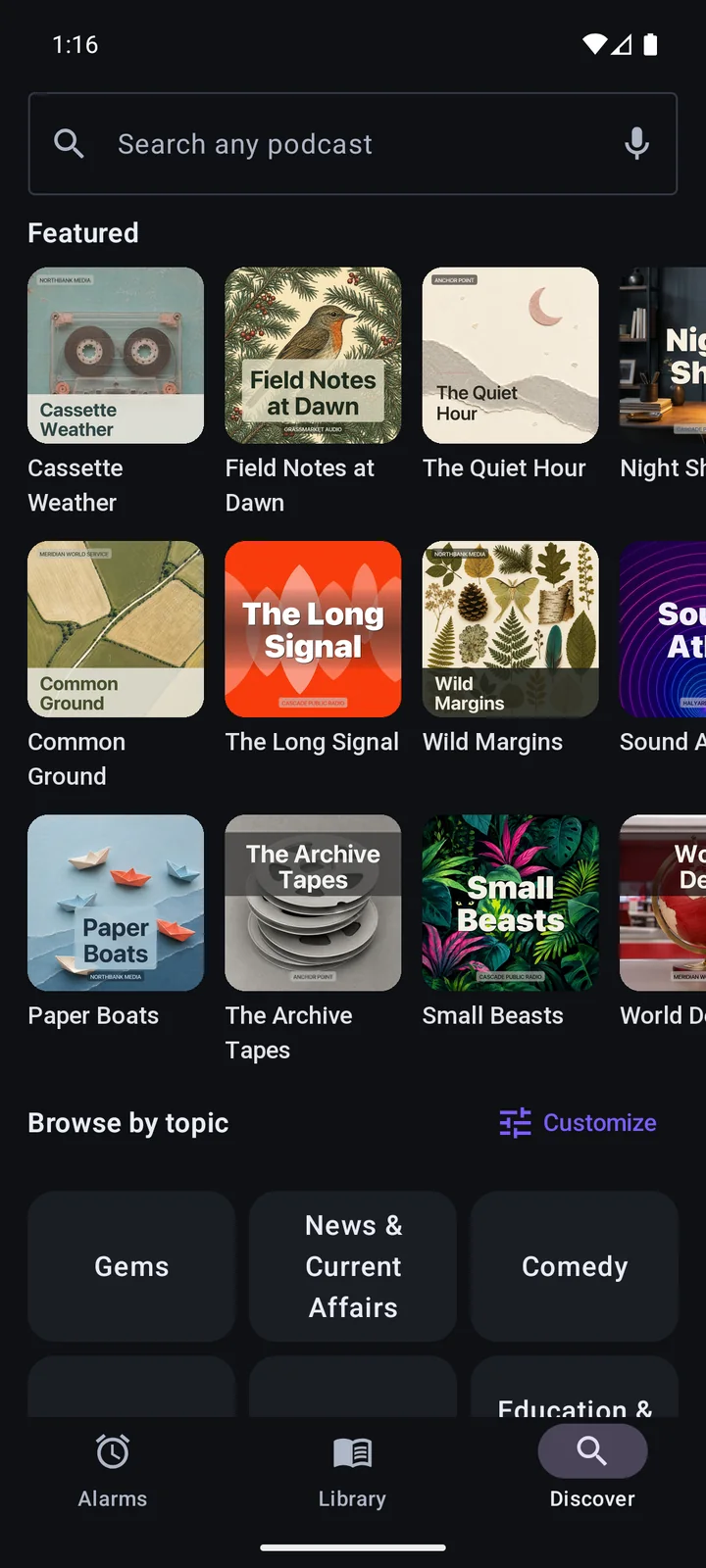
The shows in this picture are made up.
How listeners use your code
They type it into the app and get a year of Premium, which drops the ads and lets the alarm pick up where they left off. Nobody is asked for a card.
-
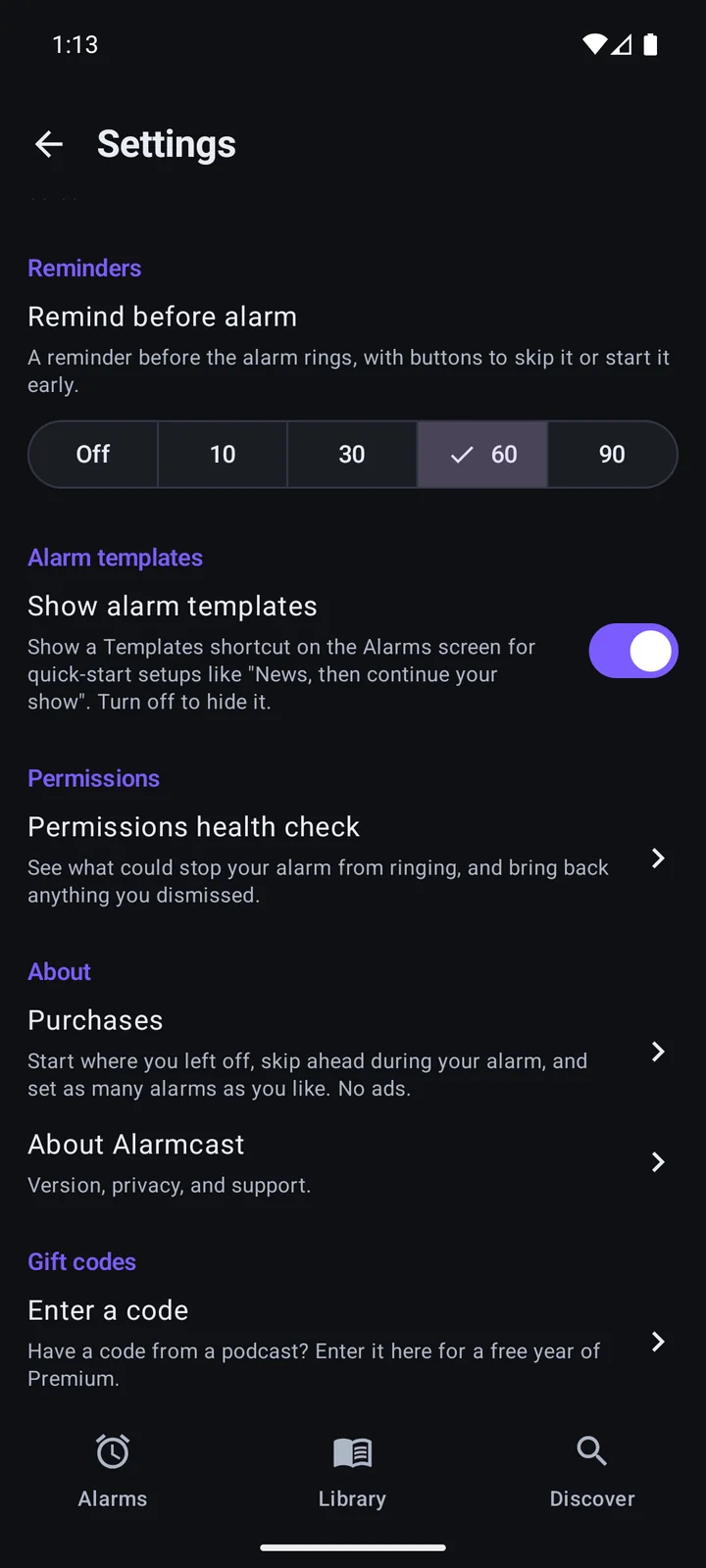
1In Settings, at the bottom, tap Enter a code.
-
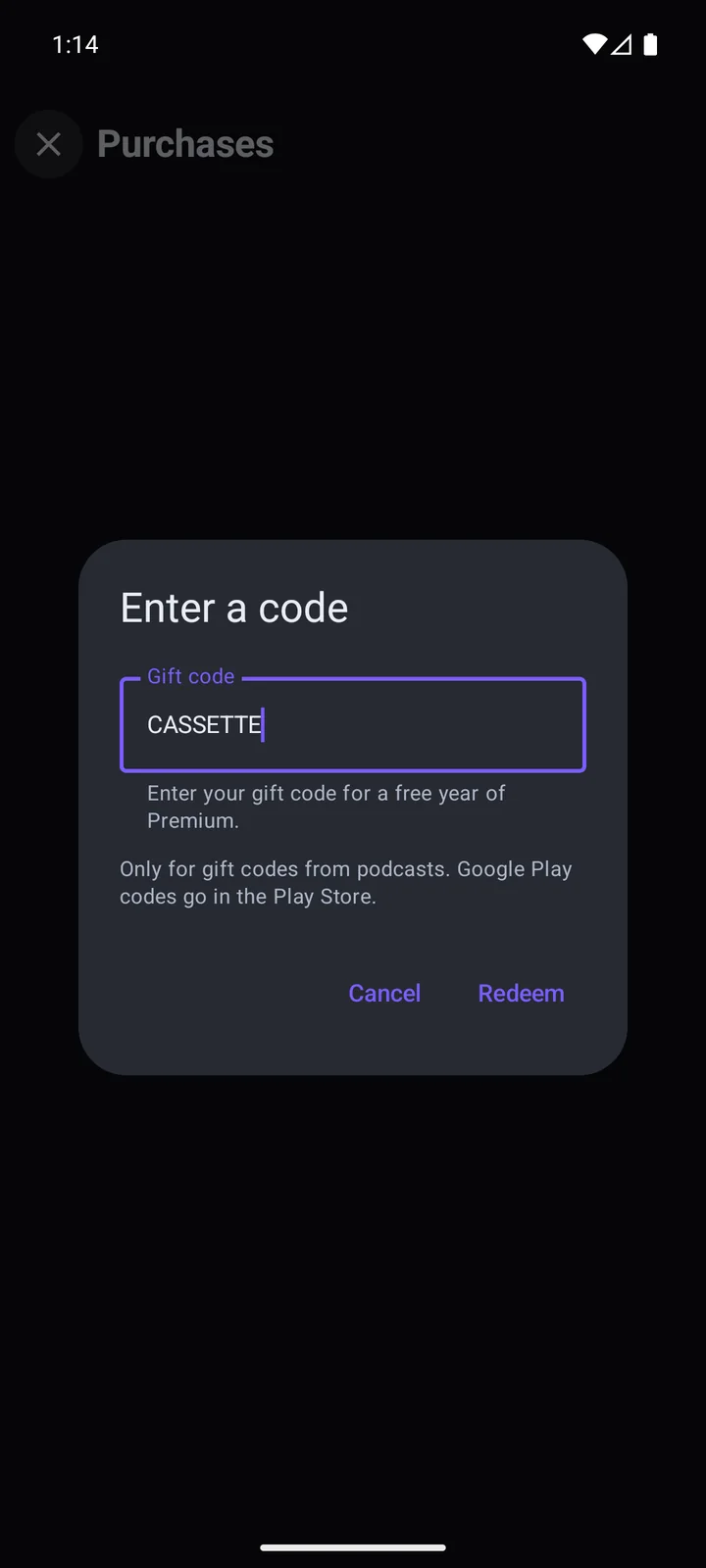
2Type the code and tap Redeem.
Before you say yes
The read needs to be marked as an ad, the way your show usually does it, and to give your code. Everything else is up to you, and if your episodes are short or your slots are tight, tell us and we'll work something out. Send us the episode link when it's out and your show goes into the next app update, where the order in Featured reshuffles every day.
We never ask anyone for a review or a rating. Saying yes lets us show your show's name and cover art in Featured while it's there, and we'll take it out whenever you ask. Children's shows can't take part.
A free year for you and your co-hosts
You get it whether or not you do the read. Tell us how many of you make the show.