Got a code from a podcast?
It's a free year of Alarmcast Premium. Here's where to type it.
-
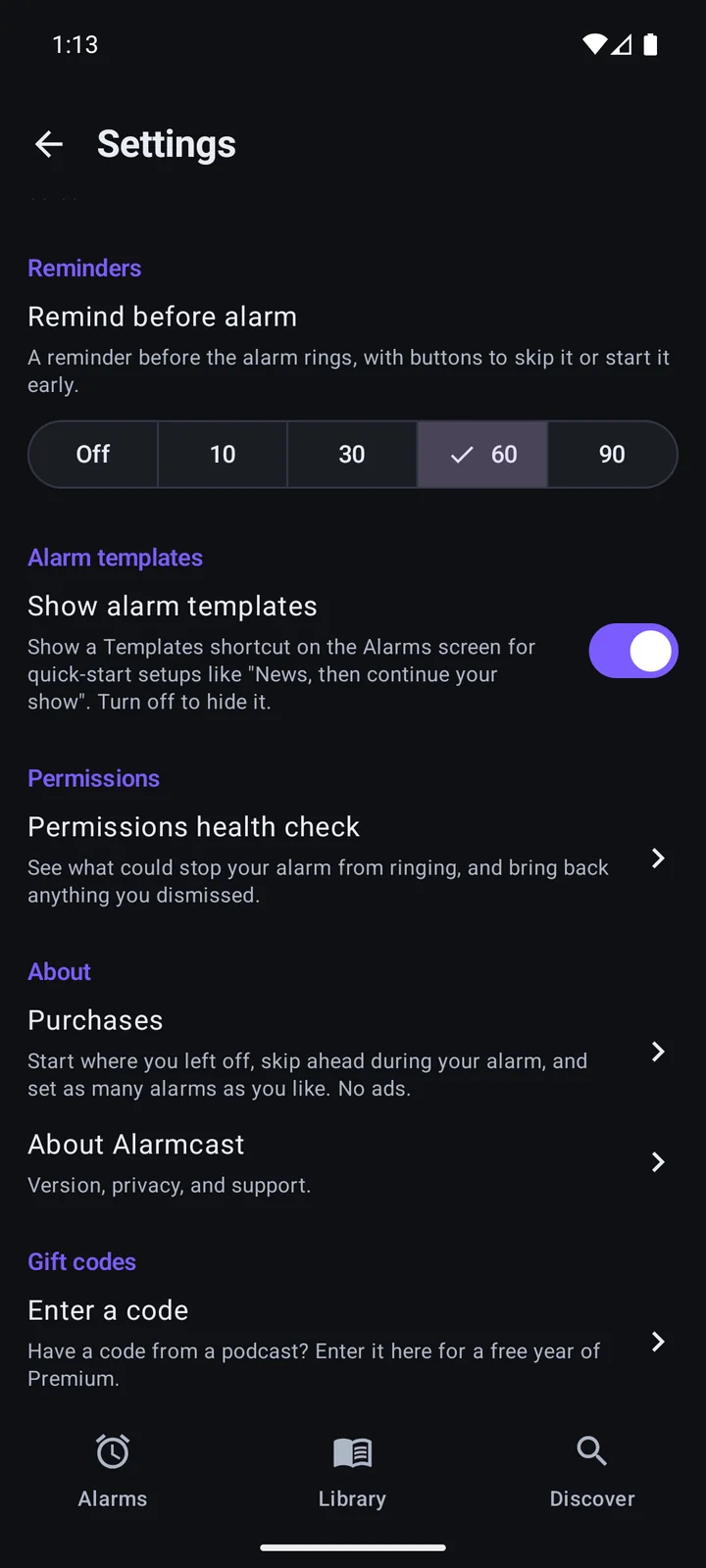
1In Settings, at the bottom, tap Enter a code.
-
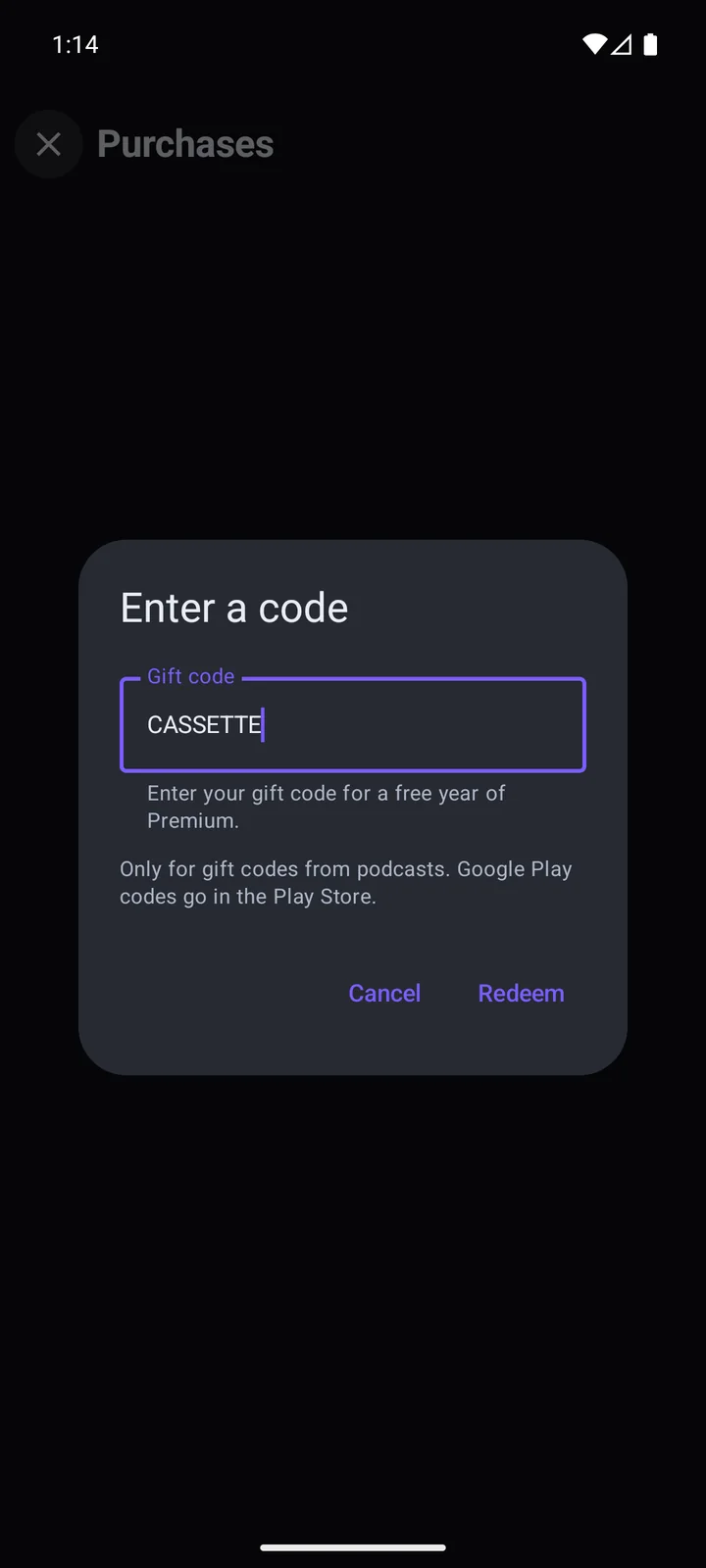
2Type the code and tap Redeem.
Gift code terms
Gift codes are offered by Bessie Operations, the maker of Alarmcast. By entering a code, you agree to these terms.
- What you get
- One free year of Alarmcast Premium on the phone where you enter the code, starting the moment it's accepted. Once your year starts, it's yours for the whole year, even if the code is switched off later.
- Nothing to pay or cancel
- There's no card and no sign-up. When the year ends, the app goes back to the free version, and nothing is charged. The Purchases screen shows the end date, in case you want to keep Premium.
- One per phone, while the code lasts
- Each code works once on each phone. Every code has a limit on how many phones can use it and a last day to enter it. We can also switch a code off early, for example if it's being sold or shared beyond the show. After that, the app says the code has run out.
- If you reinstall
- Enter the same code again on the same phone and your year comes back, with the same end date. A new phone, or one that has been reset, counts as a different phone, and the code works there only if it hasn't run out.
- Not for sale
- Codes are free. They can't be sold, bought, or swapped for money or anything else, and a code that has been sold may be switched off. A gift has no cash value. If you already pay for Premium, a code doesn't change or refund your purchase.
- Who can use one
- Anyone aged 13 or over with Alarmcast 0.8.0 or later on an Android phone. If you don't see Gift codes at the bottom of Settings, update the app from Google Play.
- Premium can change
- Your year gives you Premium as it is during that year. We may improve or change Premium features over time, the same way for everyone.
- Changes to these terms
- We may change these terms, or stop offering gift codes, at any time. A free year that has already started is always honoured to its end date.
- If something goes wrong
- Write to us about a code that won't work and we'll try to help. We can't replace a lost code, and we are not liable for a code that has run out, was entered wrongly, or was shared by someone else. Nothing here limits rights you have by law.
- These are Alarmcast's own codes. Google has no part in them and isn't responsible for them. A Google Play promo code goes in the Play Store instead.
- Your privacy
- Entering a code sends the code and a scrambled form of your phone's ID to our server. Nothing is tied to your name or an account. The privacy policy has the details.
- The law
- These terms are governed by the law of South Africa. If you live elsewhere, you keep any consumer rights your local law gives you.
A code that won't work? Write to help@alarmcast.app. Last updated 17 October 2026.